
The benefits of using auto-DM in Instagram marketing
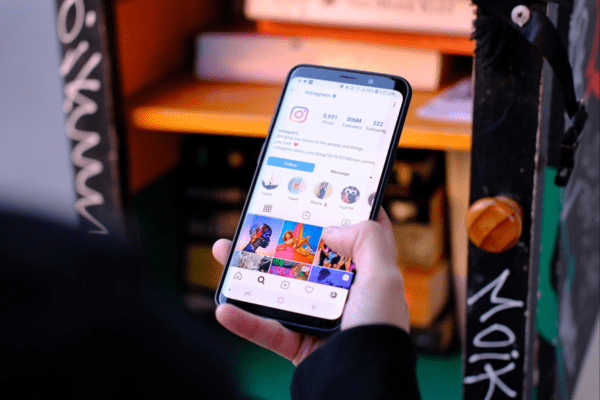
Instagram blocks link clicks inside post captions. So to share a link you have to use ① a DM, ② a link in a Story, or ③ a link in your profile (link-in-bio).
For personal sharing a little friction is fine, but for a business, every single step is a place customers can drop off. Amazon’s ‘Buy Now’ button — which skips the cart to minimize steps — exists for the same reason. That’s why many marketers use DM automation to cut down purchase steps.
“Comment ‘OOO’ and I’ll DM you the link to the purchase page.”
That phrasing is an example of an auto-DM. It helps boost purchase conversion. Here are the benefits of auto-DM.
Benefit 1. It captures impulse buying
Without an auto-DM, people usually go profile → store home → product search. Drop-off happens along the way, and if there are many products and it’s hard to find the right one, drop-off grows. More options cause ‘choice overload,’ which delays decisions — and delayed decisions often become abandoned purchases.
Benefit 2. It increases reach
Because a comment has to be posted for a DM to go out, comments (engagement) naturally rise. Instagram reads this as a valuable post and raises its reach. That said, repetitive auto-replies in a short time can be flagged as spam, so it’s best to register varied auto-reply phrases and set delays and count limits so it behaves naturally, like a person.
Benefit 3. It grows followers
To receive an auto-DM in full (with a notification), one has to follow the account, because a DM sent to a non-follower lands in the no-notification ‘message requests’ folder. KittyChat can detect follow status, showing followers the content and non-followers a follow request.
How do you get started?
A well-known tool is ManyChat, but it tends to be pricey. If you want to start affordably, try KittyChat. The free plan provides 500 auto-DMs every month with no payment info required, and you can use it on Reels, posts, and Stories.
- Sign up: Register with an email and password and start a free trial right away — no payment info needed.
- Connect Instagram: Under ‘Instagram/Facebook automation → Settings,’ connect your account and allow permissions.
- Keyword-contains setting: You can have the auto-DM fire as long as the keyword is merely ‘contained’ in the comment.
- Register keyword & message: Decide whether it applies to all posts or a specific post, and leave a single space before and after web links.
- Register auto-replies: Registering varied replies and setting delay and count limits makes it safer.
Questions? Email hello@kittychat.ai.